
For teachers & PE staff
Get your class moving in an AR battle arena
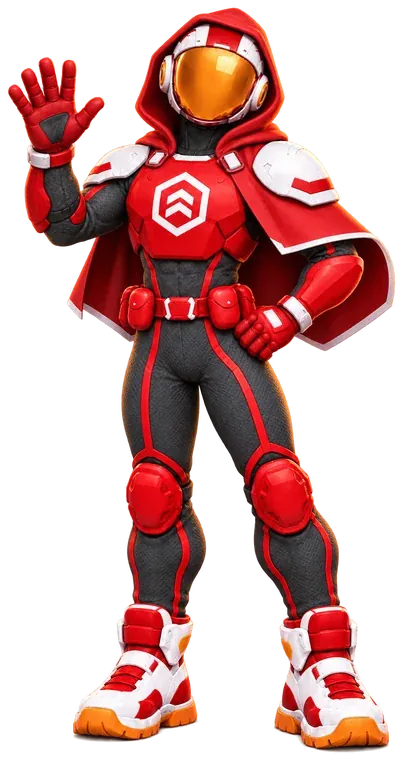
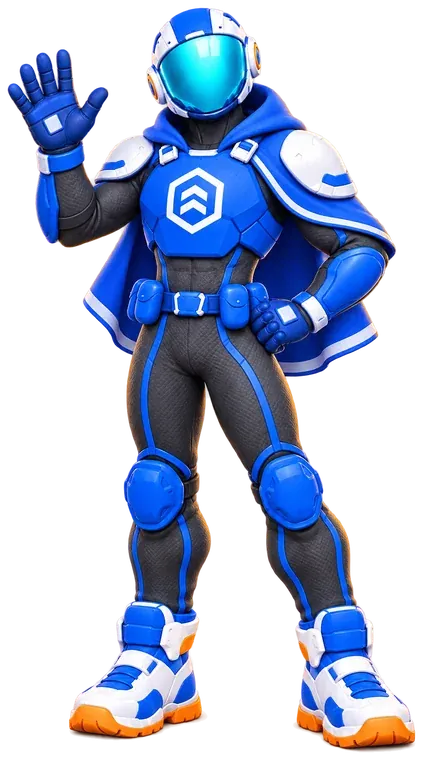
ARBLAST turns the school hall or gym into a BLUE vs RED arena that students see through their phones. To play, they walk, turn, crouch and take cover, and you control every match from a free console on your laptop.
- Free to use
- No account needed
- Camera never records
- iPhone & Android
Why teachers use it
Physical activity they'll ask for
A game students already want to play, with the movement, teamwork and supervision a lesson needs.
Active by design
The phone is the controller and their body does the work: walking, turning, crouching and taking cover. Blasters stop if anyone runs.
Teamwork and tactics
Teams of up to five coordinate with preset callouts and map pings, then see eliminations and accuracy on the results screen.
Fits a lesson
Matches last a few minutes, with the length and score limit you choose. Rotate groups while the rest watch the spectator wall on the projector.
You're in control
START when everyone's ready, END MATCH when you need the class back, and STOP freezes every phone at once.
Student privacy
No student accounts, no camera recording or uploads, no GPS, no chat and no ads in the app.
Free for schools
The console, apps and printables are free to use today. Print one poster and you're ready.
How a session works
From empty hall to final score
No special equipment: phones, one printed poster and an adult running the console.
-
1Plan a match
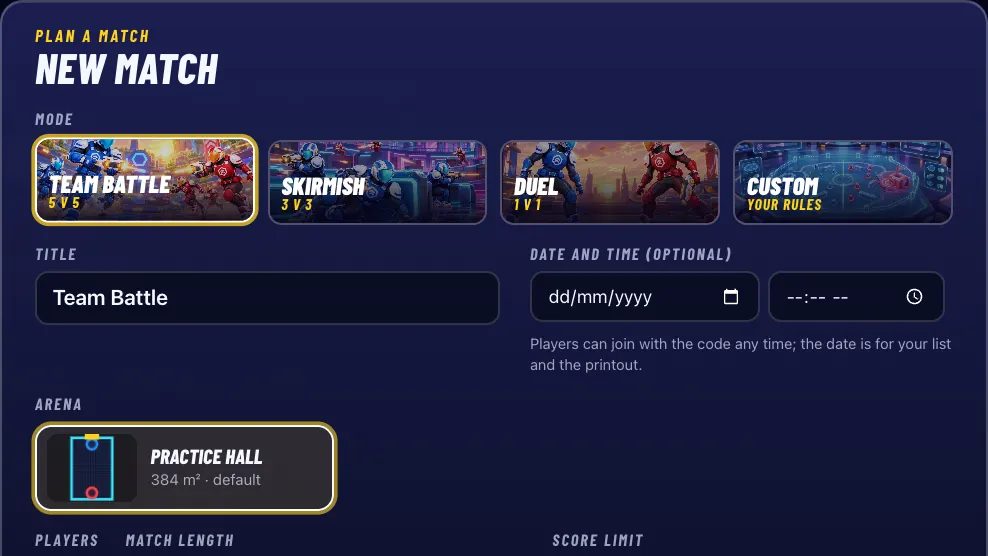
In the free organiser console, pick a format from 1 v 1 to 5 v 5, set the length and score limit, add a date if you like, and get a game code to share.
-
2Print one poster
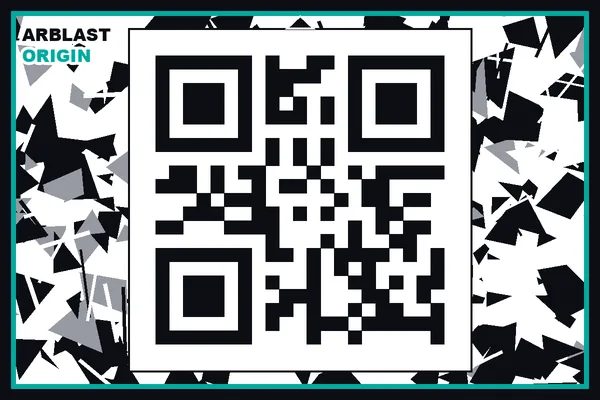
Print the origin poster and tape it to a wall. Every phone scans it, so everyone shares the same arena. Download the poster (PDF)
-
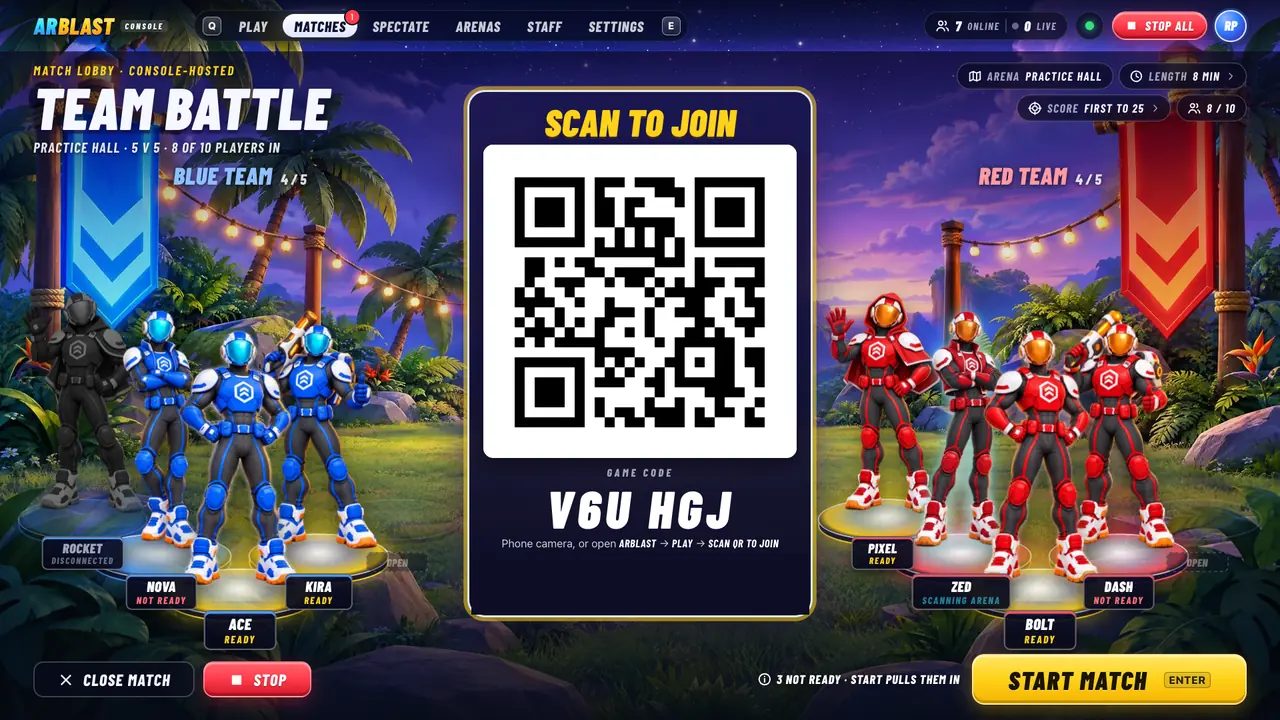
3Players join
Share the link, print an invitation, or put the giant join QR on a TV or projector. Players scan it, land on BLUE or RED, then scan the poster, and the arena appears on every phone.
-
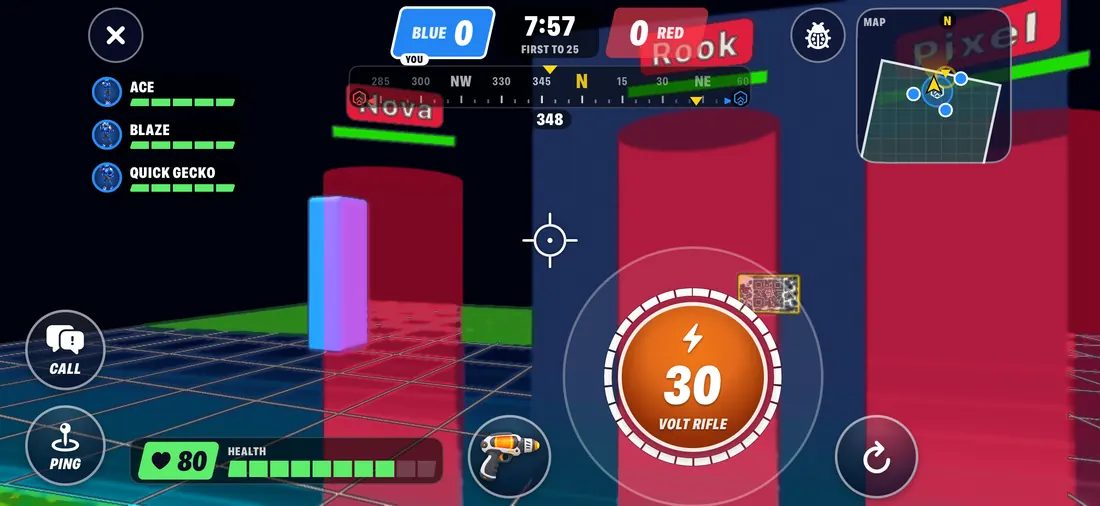
4Press START
Players hold their phones sideways and battle with a thumb FIRE button while the scoreboard runs live. STOP freezes every phone at any moment. Then it's results, MVP and a rematch.


Built for schools
Safe, supervised and private
Designed for supervised play with children: you hold the STOP button, and the app collects as little as possible.
Safety first
Real movement, clear rules, and you're the referee.
- A fenced arenaPlayers see the boundary on screen. Step outside and it's OUT OF BOUNDS: blasters stop until they're back.
- TOO CLOSE warningsPlayers are warned when they get too close to each other.
- Obstacle and step warningsThe phone warns about walls and steps in a player's path, even when they're walking backwards.
- Walk, don't runBlasters stop working if a player moves too fast.
- Your STOP buttonOne tap in the console freezes every phone and the clock.
Privacy for kids
Players are often children, so the app collects as little as possible.
- No account neededNo email, password or birthday: just a callsign, made up for them if they like. Optional profiles are 13+ only.
- The camera never recordsThe camera view is used on the phone and thrown away. Nothing is recorded or uploaded.
- No GPS or locationPositions are metres from the poster, never a place on a map.
- No chat with strangersPreset team callouts and map pings only. No free text, no voice, no direct messages.
- No ads in the appAnd no in-app purchases, and no advertising companies inside it.
Read the privacy policy and terms of service.
What you need
Probably less than you think
No headsets, no sensors, no kit to hire.
-
Phones
One per player, held sideways like a controller. iPhone and Android (the store links are at the foot of this page). Players can use their own or the venue's.
-
One printed poster
The A4 origin poster, printed at 100% scale. Black and white is fine. Tape it to a wall.
Poster (PDF) -
Team bibs Optional
Blue and red numbered bibs let phones recognise players across the arena. Print panels, or stick labels on training bibs you own.
Bib printables -
A clear space
A hall, gym, court or field. The built-in arena is about the size of a basketball court. Clear trip hazards first.
-
An adult running it
You, with the console on a laptop. Put it on a TV or projector so everyone sees the join QR and the score.
FAQ
Questions teachers ask
Does every student need a phone?
Every player needs a phone with the ARBLAST app: students' own, or school devices. Up to 10 play in a match, so a bigger class can rotate through short matches while the others watch the spectator wall on the projector.
The app is ARBLAST: AR Team Battle on the App Store and Google Play (the links are at the foot of this page). Not in the store yet? Email support@arblast.io for a test invitation and we'll help you get set up.
What ages is it suitable for?
ARBLAST is made for supervised group play. Its blasters are cartoon, toy-like energy blasters: no blood, nothing realistic.
Children play without an account, with the permission of a parent, guardian or teacher, in a game an adult runs. You know your group best. Optional player profiles are only for ages 13 and up.
What do students share?
Nothing that identifies them. Students don't make accounts: no email, password or birthday, and the app makes up a callsign (like "Swift Otter") unless they type one. The camera picture is used on the phone and thrown away, there's no GPS or location, no chat (only preset team callouts and pings) and no ads in the app. Game data disappears when the game closes.
The details are in the privacy policy.
Is it safe?
Safety is built into the game: a visible arena boundary with OUT OF BOUNDS, TOO CLOSE warnings between players, warnings for walls and steps, blasters that stop if a player runs, and your STOP button, which freezes every phone at once.
Those help, but they don't replace a clear space and an adult supervising. Read the safety rules in our terms and the tips on the support page.
How much space do we need?
A clear, flat area such as a school hall, gym, indoor court or a marked-out part of a field. The built-in Practice Hall arena is 16 × 24 m, about the size of a basketball court, and works with the poster on a wall, the floor or a table.
Clear away trip hazards and keep spectators outside the playing area. Need an arena shaped to a particular space? Custom arenas can be mapped on site with the ARBLAST app: talk to us.
Do we need internet access?
Yes. Each phone connects to the ARBLAST game server, which keeps the score and judges every hit so the game is fair. Venue Wi-Fi or mobile data both work, and the console runs in any modern web browser.
If your network filters traffic, ask your IT team to allow arblast.io, api.arblast.io and console.arblast.io.
What does it cost?
ARBLAST is free to use today: the organiser console, the apps, the poster and the bib printables. All you supply is paper and ink, and bibs if you want them.
Who can create an organiser account?
Adults (18+) who run games for a school, club, venue, holiday program or event. Sign up with your email, Google or Apple. The ARBLAST team reviews each new organiser before approving the account.

Bring ARBLAST to your next PE lesson
Create your free organiser account. Once the ARBLAST team approves it, plan a match, print the poster and press START.
Free to use. Every organiser account is reviewed by the ARBLAST team.